
Microsoft Dynamics 365 Business Central - Implementation, Migration & Custom Development
BUSINESS CENTRAL SERVICES
Move beyond basic accounting with Business Central on the Microsoft cloud - without mid-market ERP overhead. Whether migrating from QuickBooks, extending an existing deployment, or building custom AL extensions, MTC delivers fast, high-quality Business Central implementations backed by 50+ completed migrations.

What We Offer
Implementation & Configuration
- Fit-gap analysis, process design, master-data setup
- Rapid “sandbox” deployments for end-to-end proof of concept
- Environment provisioning, tenant configuration, security roles
Customization & Extension Development
- AL extensions and custom pages in VS Code
- Tailored business logic with events and code-units
- UI customization: fields, forms, actions, workflows
Data Migration & ETL
- Source system analysis (Excel, legacy ERP, CRM)
- Mapping, cleansing and transformation
- Automated migration pipelines using Azure Data Factory / Power Automate
Systems Integration
- Prebuilt connectors: Dynamics CRM, Shopify, Salesforce, etc.
- Custom APIs (REST/OData) for niche third-party apps
- Power Platform flows for real-time sync with Autotask, Azure Logic Apps
Report & Dashboard Development
- SSRS/RDL reports for printable formats
- Power BI dashboards embedded in Business Central
- Excel-based analysis templates with dynamic pivot tables
Support & Managed Services
- 24×7 L1–L3 helpdesk with SLA-driven ticketing
- Regular health checks, performance tuning, update/testing cycles
- Patch management and version upgrades
Training & Change Management
- Role-based user training (end users, super-users, IT)
- Admin workshops on extension lifecycle and AL basics
- Ongoing documentation, “train-the-trainer” programs
Business Central Platform Capabilities
Why mid-market companies choose Business Central over legacy ERP
All-in-One Business Management
Finance, sales, purchasing, inventory, projects, manufacturing and service - all in one cloud ERP. No more disconnected systems.
Role-Tailored Workspaces
Personalized dashboards and pages for different roles - CFO, warehouse manager, service technician, purchasing agent. Everyone sees what they need.
Extensible Cloud-Native Platform
Customize with AL-based extensions. Integrate natively with Power Platform (Power Automate, Power Apps, Power BI). Modern SaaS architecture with Microsoft-managed updates.
Custom Reports & Dashboards
Real-time KPIs, Power BI dashboards, built-in SSRS and Excel integration for ad-hoc analysis - tailored to your business reporting needs
Flexible Automation & Integration
REST APIs and OData feeds for third-party integrations and IoT scenarios. Power Automate for no-code workflow automation. Logic Apps for enterprise integration patterns.
Why Choose MTC
Proven CRM expertise, agile delivery, and dedicated support tailored to your business success.
Proven Migration Expertise
50+ Business Central migrations completed across manufacturing, distribution, and services - reducing go-live risk and project timelines. We've seen every migration scenario.
India-Based Delivery, Global Standards
Cost efficiencies of our Hyderabad development center without compromise. Microsoft Sure Step methodology, ITIL-aligned support, English-fluent team, US timezone overlap.
AI-Accelerated Development
AI coding assistants amplify our AL developers - same Microsoft-certified expertise, 3x faster extension and integration delivery, lower cost passed to customers.
Certified End-to-End Team
AL developers, integration specialists, change management consultants, and support engineers under one roof. Full BC lifecycle covered, no subcontracting.
Flexible Engagement Models
Fixed-price migrations, time-and-materials extensions, or fully managed services. Pick the model that matches your budget and risk profile.
BC + Dynamics 365 CE Integration
MTC specializes in both BC (ERP) and Dynamics 365 CE (CRM). Uniquely positioned to integrate the two into a unified Microsoft business management platform.
Migration & Support
Our Migration Methodology
Discovery & Readiness Assessment
Conduct workshops to map current processes, data sources and customizations. Ensures we build a migration plan tailored to your exact environment.
Data Extraction, Cleansing & Validation
Extract master and transactional data, apply transformation rules, then validate in sandbox. Guarantees data integrity and avoids ‘garbage in, garbage out.’
Sandbox Migration & UAT
Execute a full dress rehearsal in a non-production tenant so your team can validate mappings, customizations, and integrations before go-live—minimizes surprises.
Cutover Planning & Execution
Detailed go-live checklist (timing, roles, fallback plan), coordinated downtime windows, final data sync. Minimum downtime, smooth switch-over.
Hypercare & Post-Go-Live Support
Dedicated resources for first 30-90 days after launch. Rapidly address issues, fine-tune performance, train end users as they settle in.
Ongoing Managed Services
SLAs for ticket response and resolution, periodic health checks, performance tuning, version upgrades. BC environment stays secure and current.
Our Process
Sprint-Based Delivery
We break work into 2-3 week Agile sprints for rapid, measurable progress
Collaborative Planning
Prioritized backlogs, sprint planning and daily stand-ups keep everyone aligned
Continuous Integration
Every code change is automatically built, tested, and merged via our CI pipelines.
Automated Deployment
CD pipelines push validated changes to test and production environments with zero-downtime releases
Infrastructure as Code
We provision and manage environments using ARM/Bicep or Terraform for consistency and repeatability
Sprint Reviews & Retrospectives
End-of-sprint demos gather feedback, and retrospectives drive continuous improvement.
Accuracy-First
Zero downtime and 99.99% data precision
Brand Integrity
Professional, custom‑branded forms & portals
Seamless Integration
Deep Microsoft ecosystem alignment
Growth Partnership
From advisor support to enterprise scalability
Clear Communication
Transparent processes from Day 1.
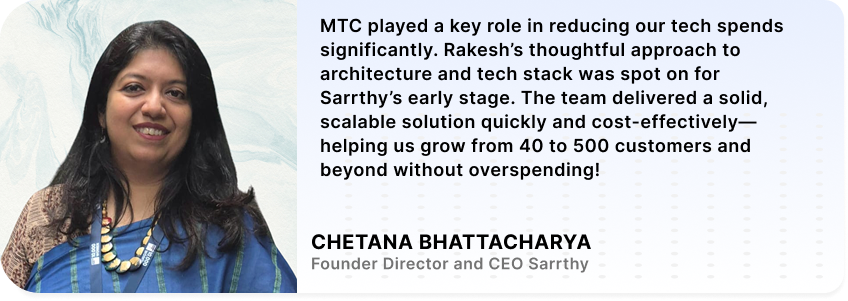
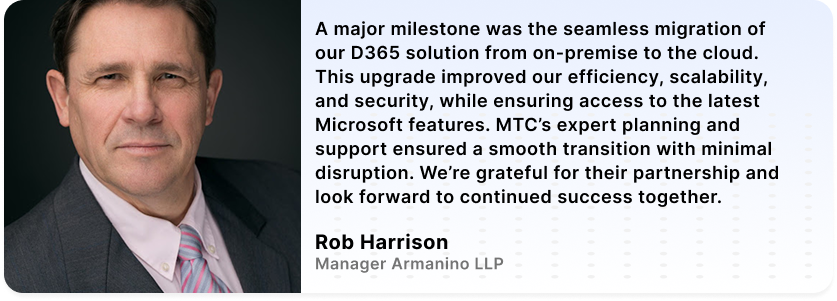
Trusted By
Explore the right solution to match your business vision
Receive customized pricing that fits your needs
Uncover smarter ways to align and streamline team workflows
- Automate complex workflows.
- Improve customer engagement.
- Enable real-time visibility.
- Support modern service delivery models
Contact our sales team
Frequently Asked Questions
What Business Central services does MTC offer?
Seven service tracks: ERP implementation and configuration, AL extension and customization development, data migration and ETL, systems integration, report and dashboard development, training and change management, and ongoing managed support. End-to-end Business Central lifecycle.
Can MTC migrate from QuickBooks to Business Central?
Yes – QuickBooks to Business Central is one of our most common migration paths. Source system analysis, data mapping, cleansing, transformation, sandbox validation, and go-live cutover. Typically 6-12 weeks depending on data volume and customization complexity.
What other systems can MTC migrate to Business Central?
Legacy ERP systems (Dynamics NAV, Dynamics GP, Sage, SAP B1, NetSuite), Excel-based systems, Dynamics CRM, and custom databases. We’ve completed 50+ BC migrations across manufacturing, distribution, and services.
Can MTC integrate Business Central with Dynamics 365 CE (CRM)?
Yes – and this is a specialty. MTC works on both BC (ERP) and Dynamics 365 CE (CRM), so we’re uniquely positioned to integrate the two into a unified platform. REST/OData connectors, Power Automate flows, and custom integration layers.
What's an AL extension and when do I need one?
AL (Application Language) is Microsoft’s language for extending Business Central. AL extensions add custom fields, tables, pages, workflows, and integrations without modifying core BC code. You need them when standard BC doesn’t cover your business-specific requirements.
Does MTC provide Business Central managed support?
Yes. 24×7 L1-L3 helpdesk with SLA-driven ticketing, regular health checks, performance tuning, and version upgrade management. Also available through our 24/5 AI-powered managed services tier with Claude AI first-level diagnosis from $1,500/month.
How long does a Business Central implementation take?
Standard SMB implementations: 8-16 weeks. Mid-market with customizations: 16-24 weeks. Complex enterprise implementations: 6-12 months. AI-accelerated development reduces timelines by 30-40 percent vs traditional delivery shops.
Does MTC build Power BI dashboards for Business Central?
Yes. Power BI dashboards embedded directly in Business Central for real-time KPIs, plus SSRS reports for printable formats and Excel templates for ad-hoc analysis. Finance, sales, inventory, and operations dashboards all supported.