Microsoft Dynamics 365 helps businesses manage customers, orders, invoices, cases, and sales activities in one place. But when it comes to actually collecting the money, most teams still rely on external payment gateways, manual entries, or separate systems — and the seams show. Sales, service, finance, and support teams copy customer details, switch between systems, update payment status manually, and track refunds in spreadsheets. Credit Card Pro by MTC closes that gap by enabling credit card processing directly inside Microsoft Dynamics 365 and Power Platform model-driven apps. This post explains what Credit Card Pro does, the problems it solves, and where it fits.
What you’ll learn:
- What Credit Card Pro is and which payment processor it supports
- The six core features — payments, refunds, tokenisation, recurring billing, AVS, Power Automate
- Four real payment-process problems it solves
- Best-fit use cases for sales, service, finance, and call centre teams
- How it pairs with Power Pages payment portals and Business Central workflows
What is Credit Card Pro?
Credit Card Pro is a Dynamics 365 payment processing solution that lets users collect credit card payments from CRM records — accounts, contacts, orders, invoices, cases, or custom tables — without ever leaving Dynamics 365. It is built primarily for Authorize.Net and supports multiple payment processors, so organisations can stay aligned to their existing payment gateway and merchant account setup.
The solution is published on Microsoft AppSource and installs into a Dynamics 365 environment alongside any other model-driven app. Once installed, payment becomes a first-class workflow on the records users already work in every day.
Six core features
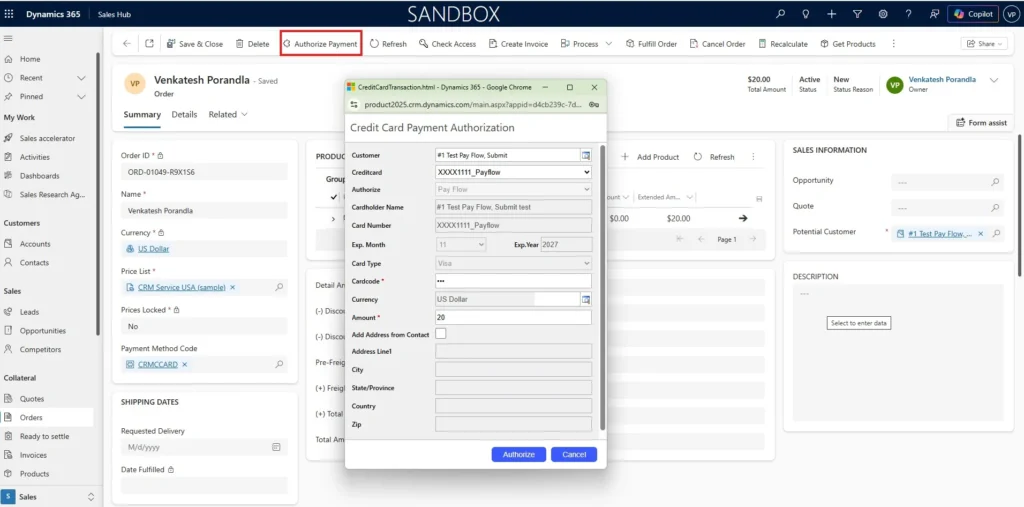
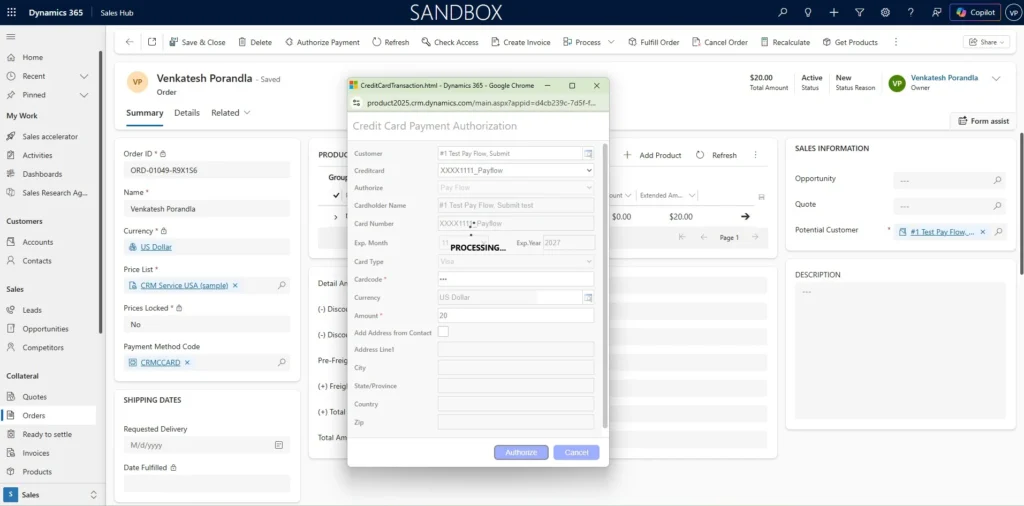
1. Accept payments inside Dynamics 365
Users can process credit card payments directly from CRM records — open an invoice, order, account, or case, and take the payment in the same screen. No copying customer details into a separate portal, no manual status updates after the fact.
2. Refund management — full and partial
Credit Card Pro supports both full and partial refunds, with the refund history linked back to the original transaction and the related CRM record. This is one of the most useful capabilities in practice — refund handling is usually where standalone payment systems break audit trails.
3. Secure tokenised payment storage
The solution supports Authorize.Net CIM tokenisation, so sensitive card details are stored securely with the payment gateway, not in Dynamics 365. This keeps you in the lightest PCI scope while still allowing repeat payments and recurring billing against a saved payment method.
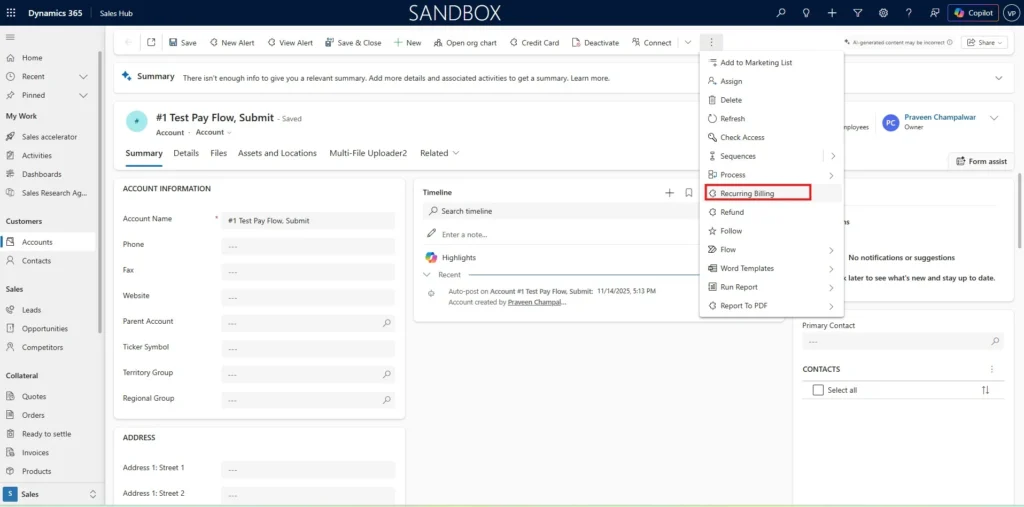
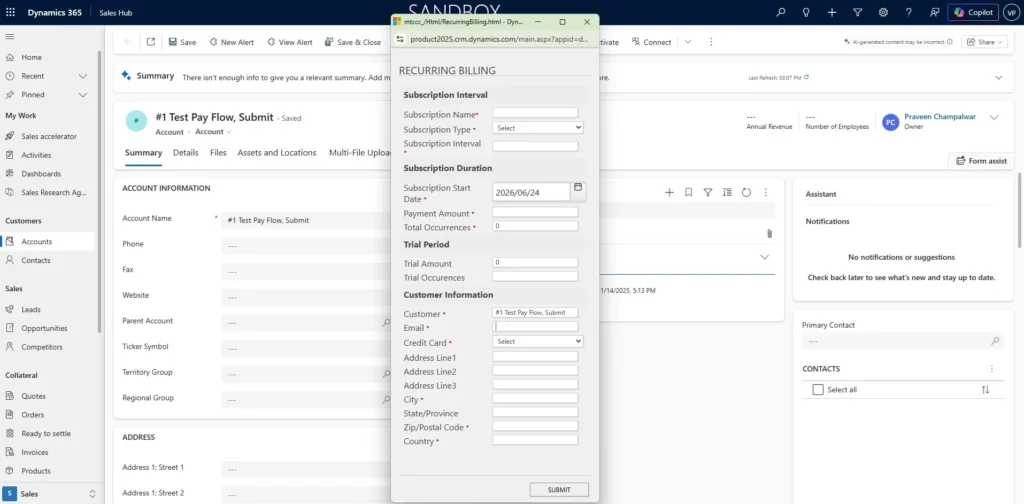
4. Recurring billing
Credit Card Pro handles recurring billing scenarios — subscriptions, memberships, service plans, retainers, maintenance contracts, or any other repeating payment. Useful for SaaS-style businesses and any organisation running a service-plan or contract revenue model.
5. AVS fraud protection
The solution supports Address Verification Service (AVS) — verifying billing address details during payment processing as an additional layer of validation. AVS reduces chargeback exposure and is one of the cleanest fraud signals available without a heavier fraud platform.
6. Power Automate ready
Credit Card Pro plugs into Power Automate, so payment events can trigger automated workflows: payment confirmations, failed-payment alerts, CRM record updates, receipt emails, and integrations into other business systems including Business Central.
Problems Credit Card Pro solves
Problem 1: Payment is the place CRM and finance disconnect
A customer service rep takes a payment over the phone, switches into a separate payment portal, processes the card, then comes back into Dynamics 365 to manually update the invoice status. The work happens three times, in three systems, and the audit trail lives in a dropbox of receipts.
How Credit Card Pro solves it: the payment runs from inside the CRM record, the transaction history attaches to that record automatically, and the invoice or order status updates without manual handling. One workflow, one system of record.
Problem 2: Refunds break the audit trail
Refunds are where most standalone payment integrations come undone. A customer requests a partial refund, the finance team processes it in the payment gateway, and the CRM record never reflects it. Three months later, the support team sees an “open balance” that isn’t actually owed.
How Credit Card Pro solves it: refunds (full or partial) run from the original transaction inside the CRM record. The refund history stays linked to the parent transaction, the customer record reflects the true balance, and reporting is accurate without anyone reconciling it.
Problem 3: Recurring revenue is managed in spreadsheets
For subscription, retainer, and service-plan businesses, recurring billing is the revenue engine — and it is often run from a spreadsheet of “who do we charge this month” with monthly card re-entry by a finance assistant. Failures are silent, customer cancellations are slow to reflect, and growth is bottlenecked by the spreadsheet.
How Credit Card Pro solves it: tokenised payment methods plus recurring billing logic mean the charge runs automatically against the saved card, failures surface as events that Power Automate can pick up, and the business stops running its revenue from a spreadsheet.
Problem 4: Call centres lose time at the payment step
A call centre agent has a customer on the line ready to pay. The agent navigates out of Dynamics 365, into the payment portal, fills in the details, processes the card, and navigates back — while the customer waits. Multiply by hundreds of calls a day and the lost handle time is real.
How Credit Card Pro solves it: the agent takes the payment in the same record where they were handling the call. Handle time drops, conversion improves, and the payment receipt is generated automatically.
Where Credit Card Pro fits
Best-fit use cases
Credit Card Pro is suitable for businesses that:
- Accept payments over the phone
- Process invoice or order payments inside CRM
- Need payment history attached to Dynamics 365 records
- Manage recurring customer payments (subscriptions, memberships, contracts)
- Use Authorize.Net or another supported payment processor
- Want to reduce manual payment tracking and reconciliation work
- Need refund processing inside the CRM
- Use Power Automate or Business Central for payment-related workflows
It is especially useful for call centre teams, customer service teams, finance departments, subscription-based businesses, and any organisation that wants to remove the seams between CRM and payment.
How it pairs with other MTC solutions
Credit Card Pro is one component of a broader payment story we build for Microsoft partners and their clients. Two patterns we see often:
- Self-service customer payments via portal. Where customers need to pay themselves rather than over the phone, we pair Credit Card Pro with our Power Pages payment integration pattern — same Authorize.Net gateway, exposed through a secure customer portal so the customer pays themselves and the transaction lands in Dynamics 365.
- Field service payments at job completion. For field service organisations collecting payment on site, Credit Card Pro pairs with the Dynamics 365 Field Service mobile app — the technician closes the work order, collects payment on the spot, and the receipt flows back to the office.
Frequently Asked Questions
Which payment processors does Credit Card Pro support?
Credit Card Pro is built primarily for Authorize.Net and also supports multiple payment processors. The exact list depends on your merchant account and payment gateway configuration. Authorize.Net is the most common starting point for Dynamics 365 organisations because of its strong CIM tokenisation, AVS support, and refund handling — but if you have an existing relationship with another gateway, the solution can be configured to match.
Does it store card details in Dynamics 365?
No. Credit Card Pro supports Authorize.Net CIM tokenisation, so sensitive card details stay with the payment gateway. Dynamics 365 only holds a secure token reference, which keeps you in the lightest PCI DSS scope while still allowing repeat charges, recurring billing, and refunds against the saved payment method.
Does it support partial refunds?
Yes. Both full and partial refunds are supported, with the refund history linked to the original transaction and the related CRM record. This is one of the most-used capabilities in practice — refund handling is where most standalone payment integrations break audit trails.
Can it integrate with Power Automate and Business Central?
Yes. Credit Card Pro is Power Automate-ready, so payment events can trigger automated flows — payment confirmations, failed-payment alerts, CRM updates, receipt emails, and integrations to other systems including Business Central. This is the route most customers use to wire payment into their broader finance workflow.
Is it suitable for recurring billing?
Yes. Tokenised payment storage combined with recurring billing logic lets you charge customers on a regular schedule — useful for subscriptions, memberships, service plans, retainers, maintenance contracts, or any repeating payment scenario.
Where do I install it?
Credit Card Pro is published on Microsoft AppSource and installs into your Dynamics 365 environment as a managed solution. Our team handles configuration of the payment gateway connection, tokenisation setup, AVS, and any Power Automate flows you need on top.
Final Thoughts
Credit Card Pro by MTC removes the seams between Microsoft Dynamics 365 and payment processing. Users accept payments, manage refunds, run recurring billing, and track everything from the same CRM records they already use — and Power Automate connects the payment events to the rest of the business.
For organisations that want to reduce manual reconciliation, improve payment visibility across sales, service, and finance, and create a smoother payment experience for both staff and customers, Credit Card Pro is one of the cleanest CRM-native payment solutions available for Dynamics 365.
Want to see Credit Card Pro in your environment? Explore the Credit Card Pro product page or email salesteam@mtccrm.com to arrange a walkthrough.