For a field service technician, the Dynamics 365 Field Service mobile app is not a feature — it is the product. It is where the day starts, where the work happens, and where it ends. Everything else in the Field Service platform — the schedule board, the work orders, the assets, Copilot — eventually meets the technician on a phone or tablet in someone’s basement, on a rooftop, or in the back of a service van. This guide explains what the mobile app does in 2026, the Copilot capabilities now built into it, what is new in this release wave, and what to plan for when rolling it out to a real field team.
What you’ll learn:
- What the Dynamics 365 Field Service mobile app does
- Who uses it and which devices it supports
- Core capabilities — work orders, offline mode, photos, signatures, time tracking
- How Copilot works in the mobile app: Summarize and Update
- What’s new in 2026 release wave 1 for mobile
- Four real technician problems the mobile app solves
- How MTC’s AppSource add-ons extend mobile workflows
- What Gartner and industry analysts predict for AI in field operations
What the mobile app actually is
The Dynamics 365 Field Service mobile app is a purpose-built field application that gives technicians their assigned work, the context to do it, and the tools to update it from anywhere — including locations with no signal. It runs natively on iOS, Android, and Windows devices and is designed for one-handed operation, fast loads, and offline reliability. It is part of the broader Dynamics 365 Field Service platform, and most of Microsoft’s 2026 investment is going directly into the mobile experience.
This is deliberate. The mobile app sits between the back office and the customer, and the quality of every service visit comes down to how well it performs in the technician’s hand.
Who uses it
Primarily field technicians. The web app stays with dispatchers, inventory managers, and service leadership; the mobile app is the technician’s environment for the entire workday. Some organisations also deploy it to contractors for limited work-order access, and to inspectors who need offline checklist capture in the field.
Core capabilities
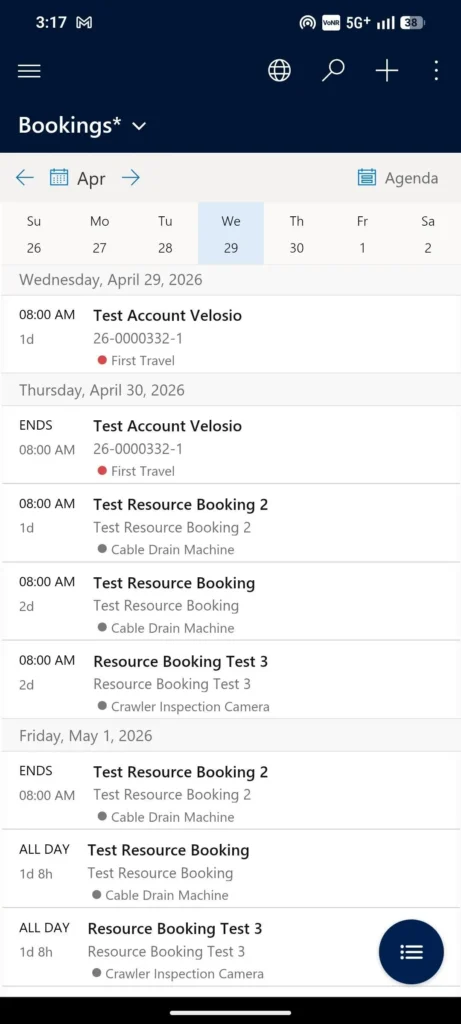
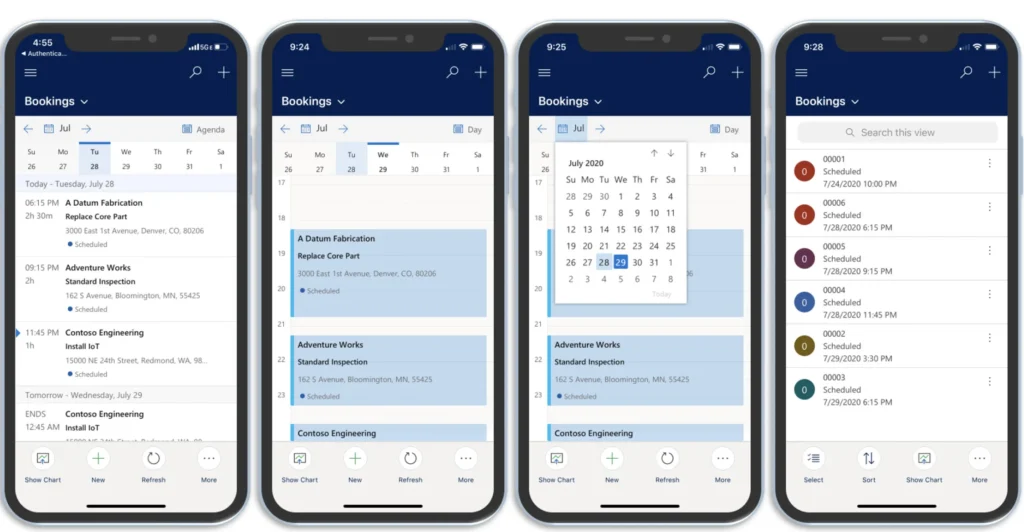
Daily schedule and work orders
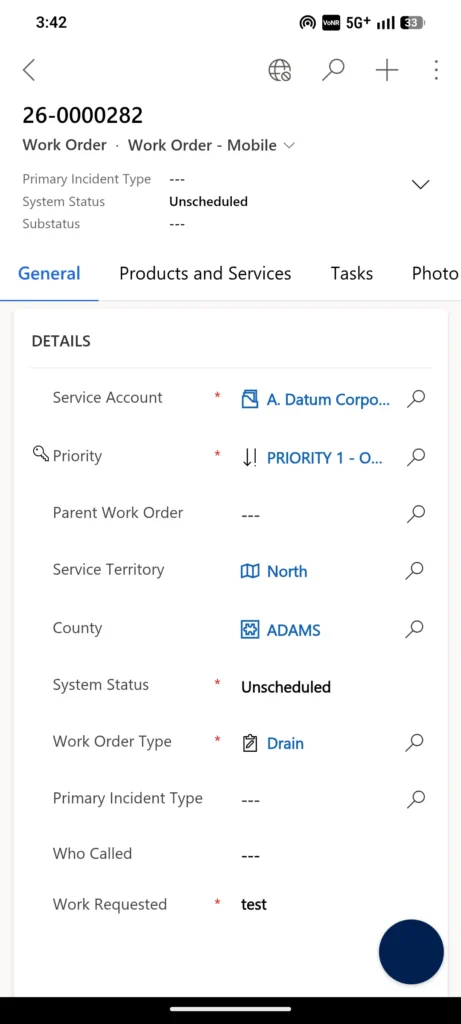
The technician opens the app and sees the day’s assignments — bookings on a timeline, each with location, customer, asset, and a clear next action. Tapping into a booking opens the work order with everything the technician needs: location, instructions, customer history, asset details, service history, required parts, and skill requirements.
Offline mode
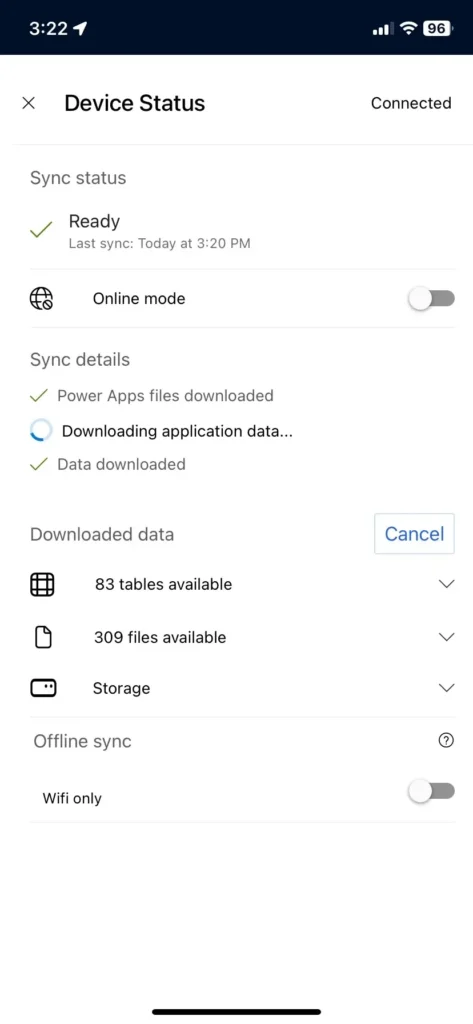
Offline mode is one of the most important features in the entire platform. Important information is automatically downloaded to the device before connectivity is lost, technicians continue to work — view records, update fields, capture photos — and the app syncs everything back to Dataverse the moment a connection returns. For service organisations operating in basements, remote sites, factories, or areas with patchy mobile signal, this is the difference between a usable platform and an unusable one.
Photos, videos, and customer signatures
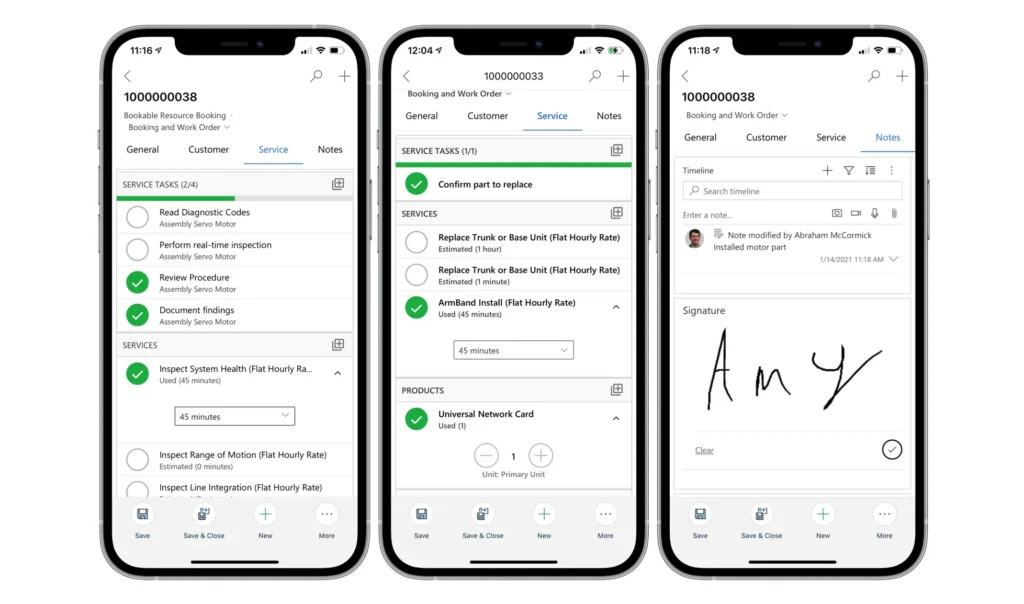
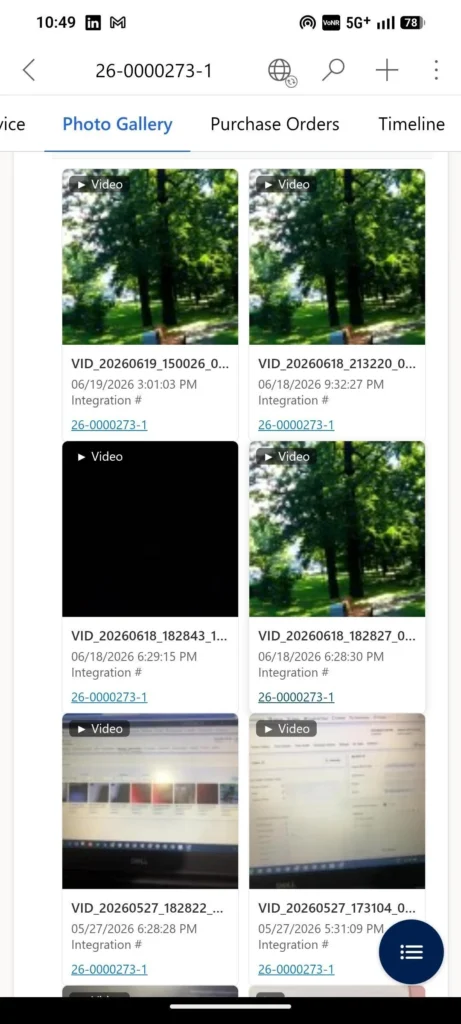
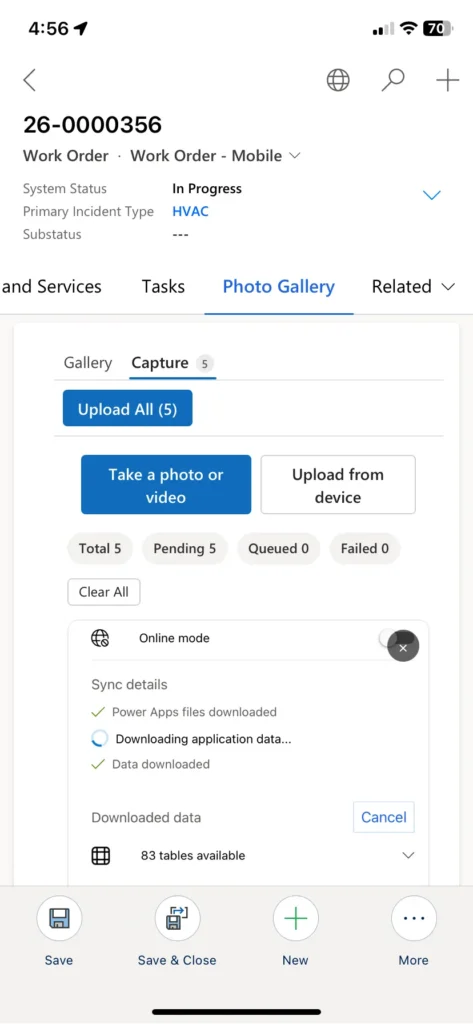
Technicians can use the device camera to capture photos and short videos directly against the work order or asset, and record a digital customer signature at job completion. Capturing proof of work and customer sign-off in the same flow removes paperwork and gives the office a clean audit trail. For asset-heavy environments, MTC’s CRM Picture AppSource add-on extends this with structured photo capture against records — pre-visit asset photos for context, after-shots for proof of completion.
Time and travel tracking
The app automatically tracks travel time and field work hours and writes them back to Dataverse, which feeds billing, technician productivity reporting, and service KPI dashboards. Technicians stop having to remember to clock travel separately from labour.
Inspections and checklists
Digital inspection templates can be attached to work orders, and technicians complete the checklist directly in the app. This standardises service quality across the team and produces structured inspection data the office can report on. Microsoft is currently previewing inspection template creation from PDFs or images — admins upload an existing paper form and Copilot drafts a digital template ready to publish.
Bulk file capture
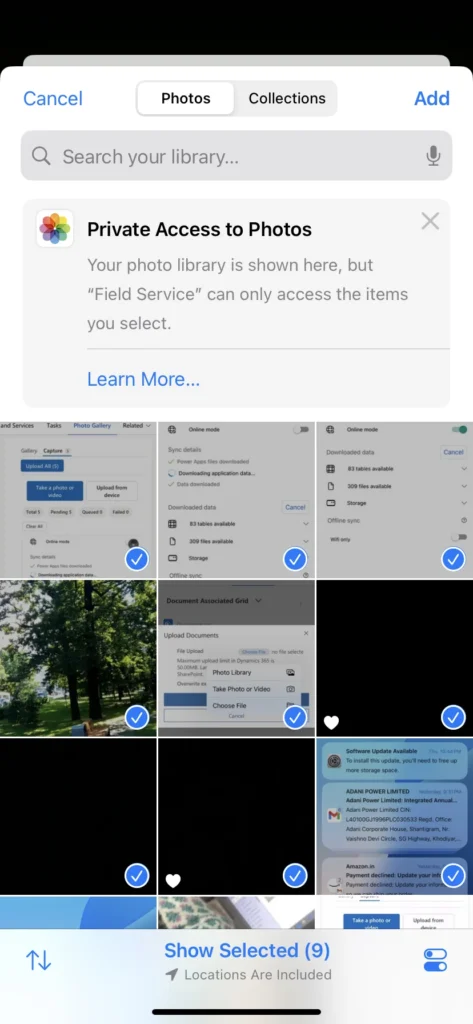
A single field visit often produces a dozen artefacts — before/after photos, completion form, parts list, inspection notes, customer signature. MTC’s Multifile Uploader AppSource add-on lets technicians upload multiple files at once from the mobile app to the work order or asset, tagged by type, instead of looping through single-file uploads on a slow site connection.
Copilot in the mobile app
Copilot is now embedded directly in the mobile app and exposes two capabilities tailored to field work.
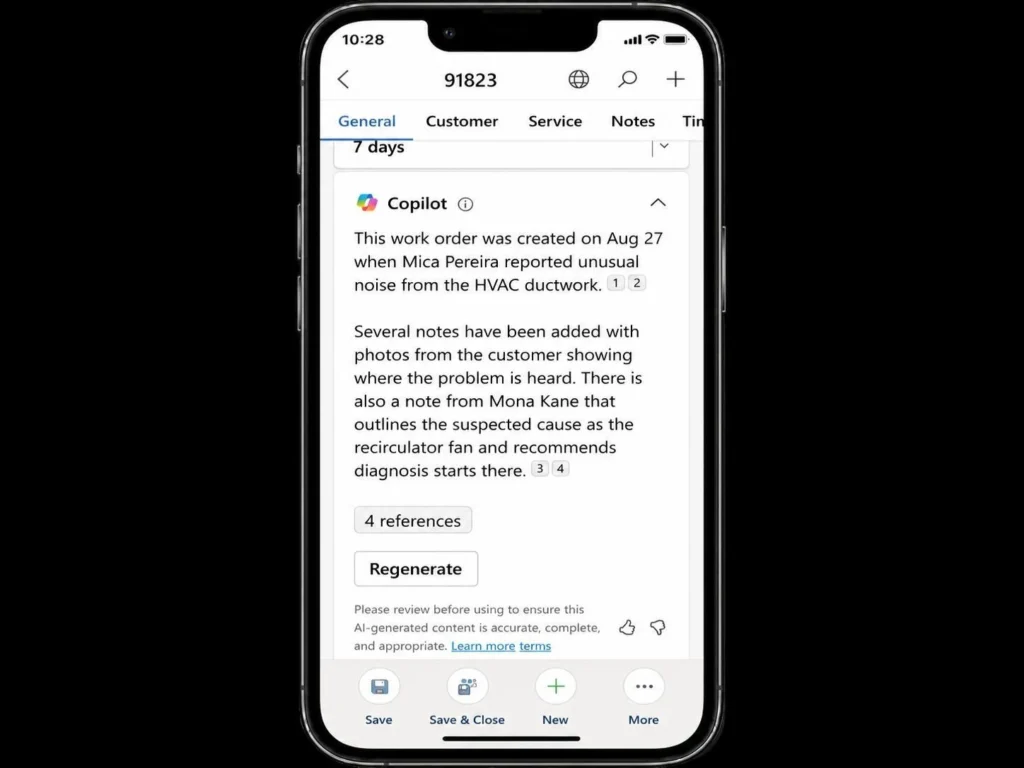
Summarize — open a job already in the picture
Tap the Copilot icon on a booking, choose Summarize, and Copilot generates an AI summary of the work order, customer asset, related work order tasks, products and services, required skills, and even historical work orders against the same asset. Instead of swiping through fields, the technician walks in knowing what the job is, what’s been tried before, and what to watch for.
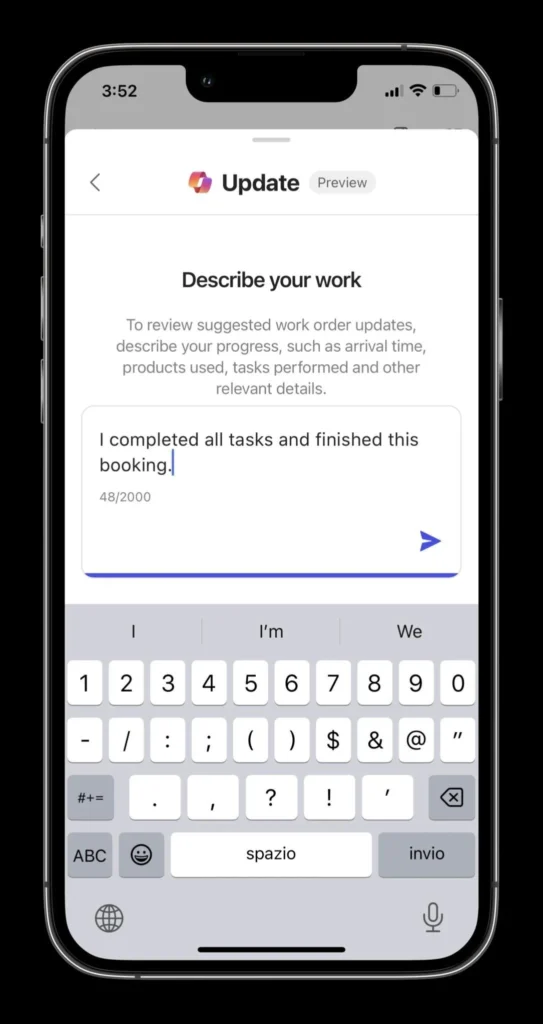
Update — record the work in plain language
Tap Update and describe what was done, either by typing or by speech-to-text. Copilot parses the description and proposes updates to the booking — status, completion time, used products, tasks completed, line items. The technician reviews the suggested updates and applies them. The end-of-job paperwork goes from minutes of tapping to seconds of talking.
Both features run against the mobile app’s existing data and Microsoft 365 Copilot infrastructure. Speech-to-text requires a device that supports it, and certain previews require minimum Android versions (3.23072.18 and later for some capabilities).
What’s new in the mobile app for 2026 release wave 1
Microsoft’s 2026 release wave 1 plan is unusually mobile-heavy. The headline investments:
- Reliability and performance across online and offline scenarios — fewer crashes, faster form loads, more dependable sync. The Android form load performance work specifically targets the lag complaints from large enterprise rollouts.
- New in-app controls for common technician workflows — getting in and out of frequent actions in fewer taps.
- Mobile notes control — a faster, more reliable notes experience built specifically for field use.
- Offline / mobile profiles — admin controls for what data and behaviour each technician profile carries when offline.
- Outlook and Teams booking integration — bookings flow into and out of the calendar apps technicians and dispatchers already live in.
None of these are headline features individually — collectively, they make the mobile app meaningfully snappier and more reliable, which is the single biggest predictor of technician adoption.
Problems the mobile app solves
Problem 1: Technicians lose signal at exactly the wrong moment
A technician arrives at a customer site in a basement, a steel-clad factory, a rural site — and the signal dies. The web app fails, paper notes pile up, the office has no visibility, and the technician has to recreate everything from memory at the next coffee stop.
How the mobile app solves it: offline mode is built in, not bolted on. Data is pre-downloaded to the device, the technician continues to work locally, and everything syncs back the moment a connection returns. The work order updates, photos, signatures, and time entries all land cleanly in Dataverse — the technician never knew they were offline.
Problem 2: First visits end in follow-up because the technician walked in blind
The technician opens the booking, sees an address and a one-line description, and walks in cold. The customer mentions a previous issue, the technician doesn’t have the history, the wrong part is in the van, and the visit ends with a return appointment.
How the mobile app solves it: every booking carries the full picture — account history, asset records, prior work orders, instructions, skill requirements, required parts. Copilot’s Summarize function turns all of that into a 30-second briefing the technician reads on the way in. First-time fix rate moves in the right direction.
Problem 3: End-of-job paperwork eats technician productivity
After every job, the technician taps through booking status, completion time, used products, task checkboxes, line items. Multiply by six or seven jobs a day and a third of the technician’s productive time is data entry — time that doesn’t move first-time fix rate or customer satisfaction at all.
How the mobile app solves it: Copilot’s Update function lets the technician describe the job verbally — “completed the unit replacement, used two flow valves and one gasket kit, finished at 3:45” — and Copilot drafts the booking updates for approval. Paperwork shifts from minutes of tapping to seconds of talking.
Problem 4: Photos, forms, and proof-of-completion end up scattered
A typical work order produces a dozen artefacts — site photos, before/after asset shots, signed completion forms, inspection checklists, parts receipts. Without structured capture, they live on personal phones, in email attachments, or as unstructured Dataverse notes that nobody can find six months later when a warranty claim comes in.
How the mobile app solves it: native photo, video, and signature capture against the work order plus inspection checklists give a baseline. For high-volume document capture, MTC’s Multifile Uploader and CRM Picture AppSource add-ons sit on top — and pairing them with our pattern for moving Dynamics 365 attachments to SharePoint keeps the Dataverse storage bill low while the documents stay accessible against the right record.
Deployment considerations
A mobile-app rollout is not just an install — it is the most user-visible part of any Field Service implementation. A few things worth planning:
- Device strategy. iOS, Android, and Windows are all supported, but standardising on one or two simplifies support and training. Make sure devices meet the minimum versions for the Copilot and preview features you want.
- Offline profile configuration. Decide what each technician role needs offline — accounts, customer assets, work order types, products. Over-syncing slows the device; under-syncing breaks offline workflows.
- Network considerations. Heavy photo and video capture combined with end-of-day sync produces real network load. Plan around the Wi-Fi at depots and customer sites.
- Training. Even with a clean UX, technicians need 30 minutes of structured training on Copilot, offline workflow, photo capture, and digital signatures. Skipping this is the most common cause of low adoption.
- Pilot before rollout. Always pilot with 5–10 technicians for two weeks before tenant-wide rollout. The feedback exposes the friction points your design didn’t anticipate.
Frequently Asked Questions
Which devices does the mobile app support?
The Dynamics 365 Field Service mobile app runs on iOS, Android, and Windows devices. Some Copilot and preview features have minimum version requirements (for example, Android 3.23072.18 or later for some capabilities) and speech-to-text requires a device that supports it. For organisations standardising hardware, picking one OS family makes support and training much easier.
Does it really work offline?
Yes. Important data is automatically downloaded to the device, technicians continue working — viewing records, updating fields, capturing photos and signatures — and the app syncs back the moment a connection returns. Microsoft’s 2026 wave 1 specifically invests in offline reliability and performance for exactly the basement-and-remote-site scenarios this is built for.
What does Copilot do in the mobile app, specifically?
Two things. Summarize generates an AI summary of the work order using booking data, customer asset history, related tasks and products, required skills, and prior work orders on the same asset — so the technician walks in informed. Update lets the technician describe completed work using text or speech-to-text and Copilot drafts the booking updates for approval — reducing the end-of-job tapping that eats productivity.
What do analysts predict for AI in field operations?
Gartner has been clear about the direction. In August 2025, it forecast that 40% of enterprise applications will integrate task-specific AI agents by the end of 2026, up from less than 5% in 2025. Field Service Copilot is one of the most concrete examples — its Summarize and Update functions are task-specific agents purpose-built for technician workflows. The shift is already visible: across the broader field service industry, organisations report that AI-assisted mobile workflows deliver double-digit reductions in end-of-job data entry time, which on a busy service team is one of the cleanest productivity wins available.
Won’t AI replace field technicians?
The current analyst position is no — technology spend is rising rapidly, but talent needs are evolving rather than disappearing. In March 2026, Gartner forecast that by 2028, over 50% of customer service organisations will double their technology spend without an equivalent reduction in talent. The mobile app direction follows this exactly: Copilot, offline mode, and the 2026 wave 1 reliability investments take routine work off the technician so they can focus on the actual repair, the customer relationship, and the judgement calls a software model cannot make.
How big is the field service management market?
The field service management market is one of the fastest-growing enterprise software categories. Fortune Business Insights valued the global FSM market at $5.37 billion in 2025, rising to $6.14 billion in 2026, and Global Market Insights projects it to reach $23.61 billion by 2035 at a CAGR of 16%. Mobile workforce productivity is one of the central drivers of that growth — service operations cannot scale without a reliable mobile platform underneath them.
Conclusion
The Dynamics 365 Field Service mobile app is where the platform meets reality. Offline mode keeps work moving when signal disappears, Copilot’s Summarize and Update functions remove the silent productivity drain of pre-visit research and end-of-job paperwork, and the 2026 wave 1 investments make the app meaningfully faster and more reliable for the technician living in it eight hours a day. For partners deploying Field Service, the mobile app is the part of the implementation customers feel every day — and the part most worth getting right.
Rolling out Dynamics 365 Field Service to a field team? MTC delivers Field Service implementations including mobile rollout, offline profile configuration, Copilot enablement, and AppSource add-on deployment for partners and their clients. Explore our Dynamics 365 Field Service services or email salesteam@mtccrm.com.