Every new Power Pages site starts with one decision: which template do you build on? Microsoft groups its Power Pages templates into three families, and the right choice depends on what your portal needs to do and whether it connects to Dynamics 365. This guide breaks down each template type and gives you a simple way to pick the right starting point.
What are Power Pages templates?
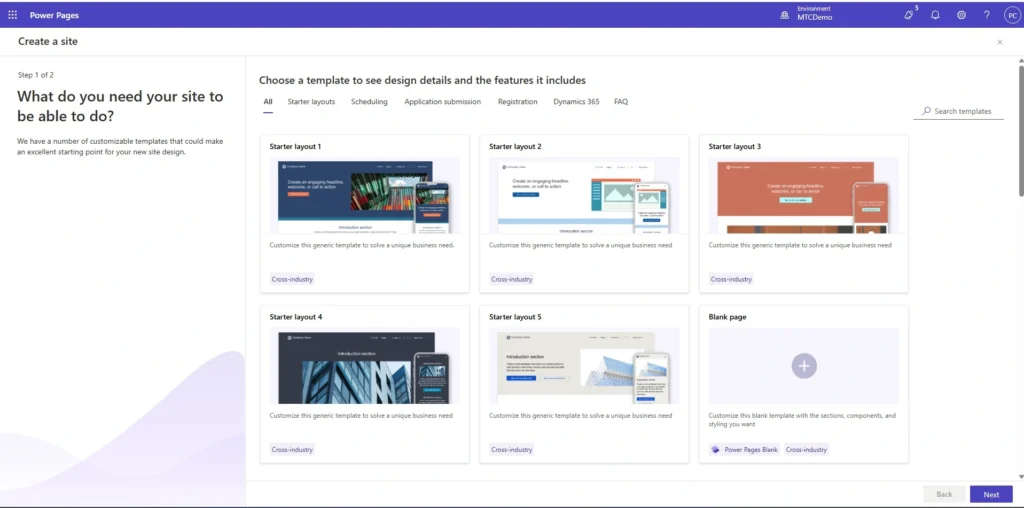
Power Pages templates are pre-built starting points for a new low-code business website. When you create a site, you choose a template and then customise it in the design studio. Some templates give you only a layout to shape from scratch. Others arrive with pages, forms, and data already wired up for a specific scenario, so you launch faster. You can use any of them as they are, or change the layout, colours, and content to match your brand.
Microsoft documents the full set on its Power Pages templates page. Below is a practical breakdown of what each family is good for.
Starter layout templates
Starter layout templates are the building blocks for a fully custom site. They ship in several variations, each with a different layout, image set, and colour scheme. You pick the one closest to your vision and then shape it in the design studio. This is the right path when you have a clear idea of your portal and want design freedom rather than a pre-built scenario.
Blank page template
If you want to build everything yourself, the blank page template gives you a home page with just a header, a footer, and a single section. Nothing else gets in your way. It suits teams with their own design system or specific layout requirements who want to start from a clean slate.
Solution templates
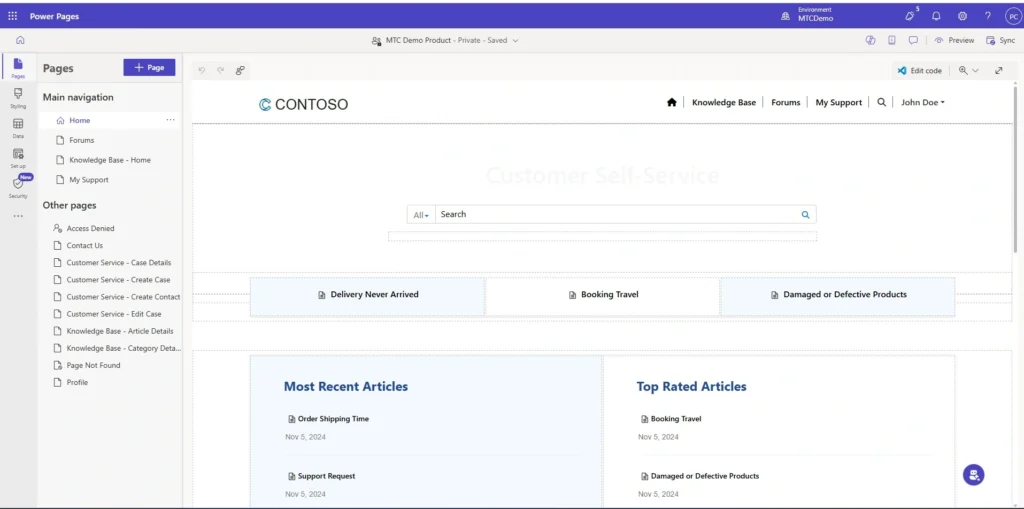
Solution templates are scenario-based. They come with the pages, forms, and structure for a common business need already in place, which cuts your build time significantly. The current set covers four scenarios:
| Template | What it is built for |
|---|---|
| Program registration | A registration website where people sign up for a program or event — useful for almost any industry that runs sign-ups. |
| Frequently Asked Questions (preview) | An organised FAQ experience built around topics, subtopics, and articles, with a no-code way for admins to update and arrange content. |
| Schedule and manage meetings | A scheduling site for booking and managing appointments — the pattern fits any organisation that needs online booking. |
| Application processing | An application submission site for forms that need to be received and processed, such as permits or applications of any kind. |
Solution templates are a fast way to validate an idea or stand up a focused portal. In real projects, the value comes from extending them with your own logic, data, and integrations rather than shipping them untouched.
Dynamics 365 templates
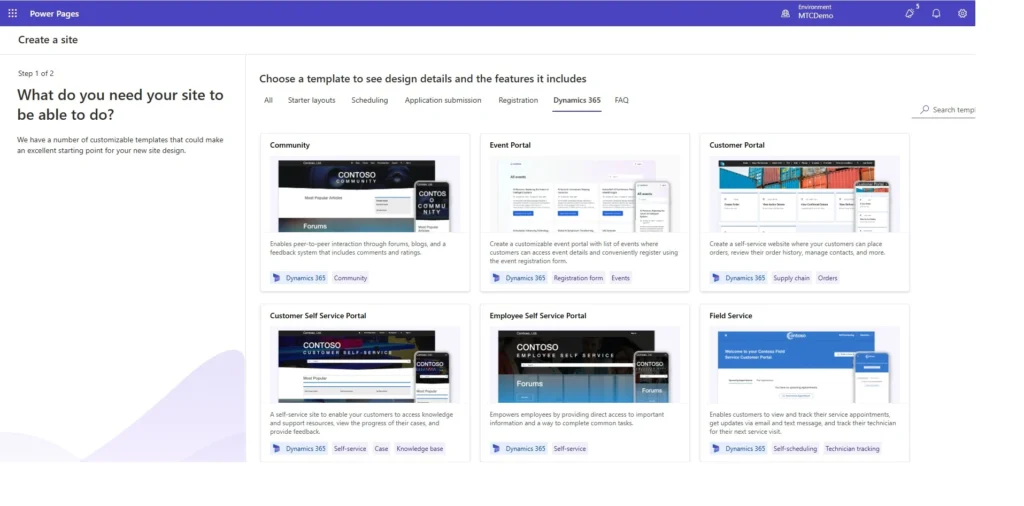
If your environment includes Dynamics 365 applications, you also get a set of templates built to surface that data through a portal. These appear wherever the relevant Dynamics 365 app is present, including:
- Dynamics 365 Sales
- Dynamics 365 Customer Service
- Dynamics 365 Field Service
- Dynamics 365 Marketing
- Dynamics 365 Project Operations
- Dynamics 365 Supply Chain Management
- Dynamics 365 Intelligent Order Management
This is where templates become most powerful for existing Dynamics customers. A portal that reads and writes live CRM data turns a static site into a self-service channel for customers, partners, vendors, or field teams. Getting this right depends less on the template and more on how cleanly the portal is integrated with Dataverse and secured with web roles and table permissions. That is the work we focus on in our web portal services.
Templates are a starting point, not the finish line
A template gets you a site quickly. A portal that runs a real business process needs more: identity and access control, custom forms and logic, integrations with line-of-business systems, and a clean deployment story. Common examples we build on Power Pages include customer and employee self-service portals, community and knowledge-base sites, and vendor, tenant, and patient portals — all integrated with Dynamics 365 and Azure.
If your project needs an app-like experience with complex interactions, it is worth looking at the newer Power Pages Single-Page Application (SPA) support, which brings a modern React-based front end while keeping the platform’s security and hosting model. For background on classic portal features such as self-service and community sites, our knowledge base covers the building blocks in detail.
How to choose the right Power Pages template
- You have a clear, custom design in mind: start with a starter layout template, or the blank page template for full control.
- Your need matches a common scenario (registration, FAQ, scheduling, applications): start with the matching solution template.
- You run Dynamics 365 and want to expose that data: start with the relevant Dynamics 365 template and plan the integration carefully.
- You need an app-like, highly interactive portal: consider the Power Pages SPA approach instead of a classic template.
Frequently Asked Questions
Are Power Pages templates free to use?
The templates themselves come with Power Pages. Running a live site is governed by Power Pages licensing based on authenticated or anonymous users and capacity, so the cost depends on your site, not on the template you pick.
Can I change a template after I start?
Yes. You customise a template freely once your site is created — layout, content, data, and logic. The template only defines your starting point, so you are not locked into how it looks or behaves.
Do I need Dynamics 365 to use Power Pages?
No. Power Pages runs on Dataverse and works without Dynamics 365. The Dynamics 365 templates simply appear as extra options when those apps are present in your environment.
Conclusion
Power Pages templates fall into three families: starter layouts for custom design, solution templates for common scenarios, and Dynamics 365 templates for surfacing CRM data. Pick based on how custom your design is and how deeply you need to integrate with Dynamics 365 — then treat the template as a starting point, not the finished portal.
Building a portal on Power Pages? MTC builds Microsoft Power Pages portals that go well beyond templates, with deep Dynamics 365, Dataverse, and Azure integration. See our Power Pages development services or reach us at salesteam@mtccrm.com.