Introduction
If you support customers on Dynamics 365, the naming alone causes confusion: Customer Service, Contact Center, Digital Contact Center — are they the same product? They are not. This guide explains the difference between Dynamics 365 Contact Center and Customer Service in 2026, what each is built for, how they’re licensed, and a simple way to choose. It’s written for both businesses weighing the two and Microsoft partners advising clients.
The Short Answer
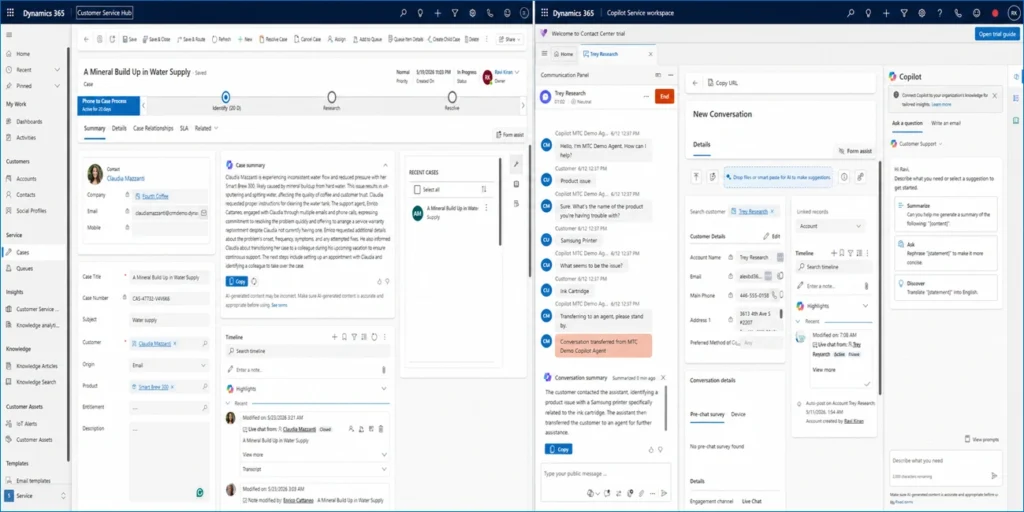
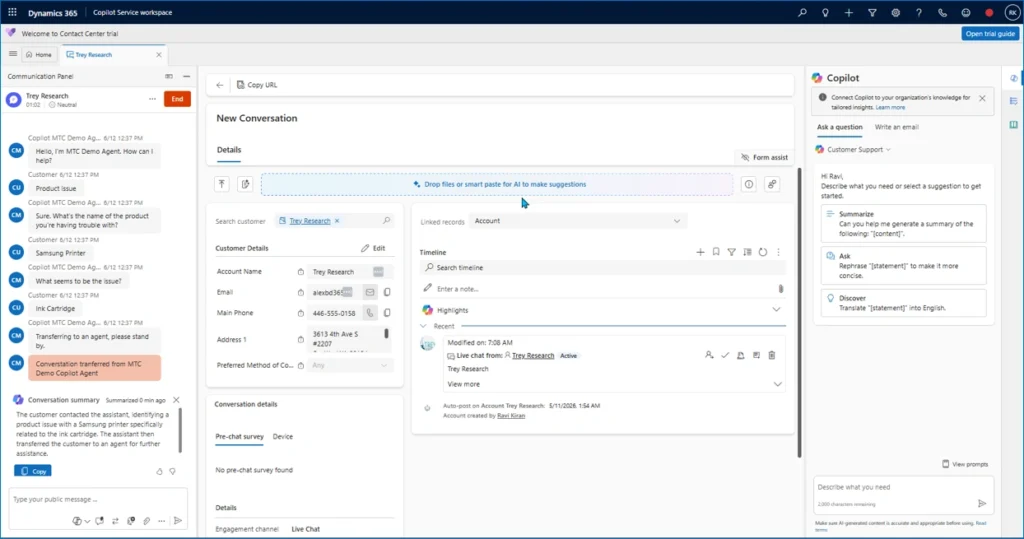
Customer Service is the case-management core — cases, knowledge articles, SLAs, and customer history, tightly integrated with Dynamics 365 CRM. Contact Center is Microsoft’s newer, Copilot-first, AI-first platform for omnichannel customer interactions (voice, IVR, chat, SMS, Teams, social), generally available since summer 2024. Crucially, Contact Center is a standalone application that does not require Dynamics CRM — it can sit on top of Customer Service or run in a mixed / non-Microsoft environment.
Side-by-Side Comparison
| Dimension | Customer Service | Contact Center |
| Built for | Structured, case-based support | High-volume omnichannel contact center |
| Core strength | Cases, SLAs, knowledge, history | Voice/IVR, routing, WEM, AI self-service |
| AI | Copilot assist within CRM | Copilot-first, voice IVR via Copilot Studio |
| Channels | Email, chat, omnichannel (Premium) | Voice, IVR, chat, SMS, Teams, social |
| CRM requirement | Part of the Dynamics 365 CRM family | Standalone — no Dynamics CRM required |
| Best environment | Already invested in Dynamics 365 | Mixed or non-Microsoft stacks too |
| Licensing | Standard / Premium tiers | Standalone app; voice usage-based |
When to Choose Customer Service
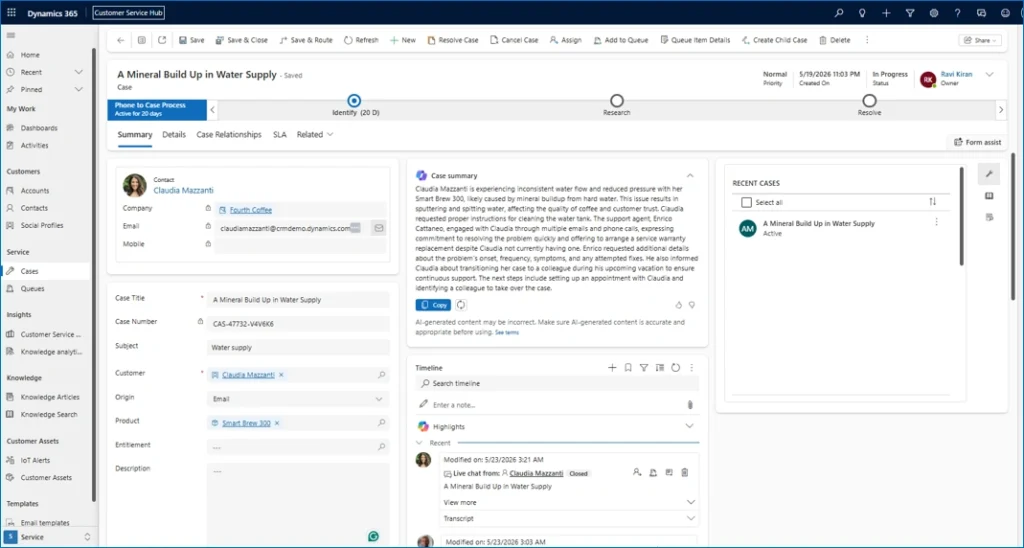
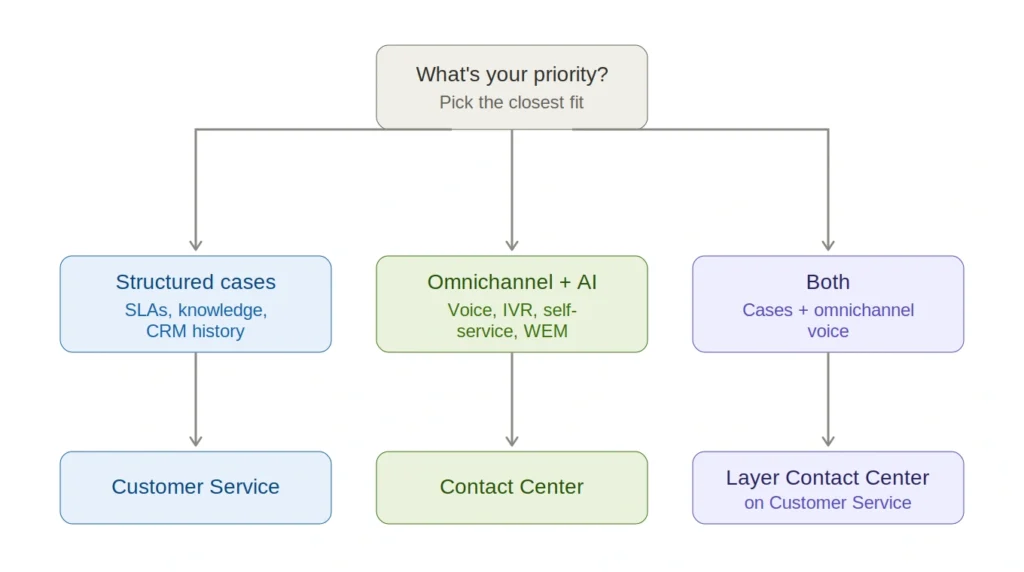
- Your support team works primarily through CRM-based, case-driven workflows.
- You manage structured cases needing escalation, SLAs, and resolution tracking.
- You’re already invested in Dynamics 365 and want AI within that CRM environment.
When to Choose Contact Center
- You run a high-volume contact center across many channels.
- You need advanced voice routing, IVR, and AI-powered self-service.
- You want workforce engagement management (scheduling, performance).
- You operate a mixed or non-Microsoft environment and need a standalone platform.
They’re Not Mutually Exclusive
Many organisations run both: Customer Service for case management and Contact Center layered on for omnichannel voice and AI self-service. Contact Center is designed to extend, not just replace — so the real question is often “which first,” not “which only.” A common 2026 path is migrating an existing Customer Service deployment onto Contact Center to access the broader Copilot and unified-routing capabilities.
How MTC Helps
MTC is a development-first Microsoft partner delivering both Customer Service and Contact Center implementations white-label behind Microsoft partners — including Teams-as-a-channel, Copilot Studio voice agents, and migrations from Customer Service to Contact Center. The partner keeps the client relationship; we handle the build.
FAQ
Is Dynamics 365 Contact Center replacing Customer Service?
No. Contact Center is a newer, standalone, Copilot-first platform for omnichannel interactions; Customer Service remains the case-management core. They work together — Contact Center can layer on top of Customer Service or run independently.
Does Contact Center require Dynamics 365 CRM?
No. Contact Center is licensed as a standalone application and does not require Dynamics CRM, which makes it suitable for mixed or non-Microsoft environments as well.
Which has better AI?
Contact Center is Copilot-first, with voice IVR built using Copilot Studio and AI self-service. Customer Service offers Copilot assistance within the CRM. If AI-driven voice and self-service are central, Contact Center leads.
Conclusion
Choose Customer Service for structured, CRM-based case management; choose Contact Center for omnichannel, voice-heavy, AI-first support — or run both, with Contact Center layered on top. The right answer depends on your channels, your AI ambitions, and your existing stack.
CTA: Talk to MTC about implementing or migrating to Dynamics 365 Contact Center — white-label, for Microsoft partners.