AT A GLANCE
Industry: HVAC Services
Location: Australia
Platform: Microsoft Dynamics 365 Field Service, Power Platform
Solution: MTC’s CRM Picture AppSource add-on for multi-photo upload
Outcome: Faster field documentation, reduced manual effort, and more work orders processed within the same operational capacity
For an HVAC service provider running Dynamics 365 Field Service, the limitation was small but expensive: technicians could not upload multiple photos at once from the Field Service mobile app. One photo per upload, repeated dozens of times per day, across a team of technicians — and the bottleneck added up to real lost productivity. This case study walks through how MTC removed that bottleneck with CRM Picture, the AppSource add-on that lets technicians upload multiple photos in a single action.
Client Overview
The client is an Australian HVAC service provider delivering installation, maintenance, and repair services for commercial and residential heating, ventilation, and air conditioning systems. They use Dynamics 365 Field Service to manage work orders, technician scheduling, service execution, and dispatcher coordination — and the Field Service mobile app is the environment their technicians live in every working day.
The Business Challenge
The client relied heavily on field technicians to capture photos as proof of service completion, equipment condition, repair work, and site inspection. A single work order could generate eight to twelve photos: before-shots of equipment, mid-job evidence of the work performed, after-shots for proof of completion, plus site context shots for warranty and audit purposes.
The problem was the Field Service mobile app’s native upload pattern: photos could be added to a work order, but only one at a time. Multiply that by every photo on every job for every technician — and the productivity drain was significant. Specifically:
- Technicians spent extra time uploading images one by one at the end of every job
- Dispatchers had limited visibility into completed work until uploads finished
- Work order closure and verification were delayed
- Field productivity was impacted by the repetitive manual effort
- The company could not process and complete as many work orders as expected within its existing operational capacity
The client needed a simple, cost-effective, configurable solution that worked inside their existing Dynamics 365 and Dataverse environment — not a custom build, and not a third-party tool that broke the integrated security model. The native Field Service mobile app handled most of their needs; what they needed was a focused fix for one specific gap.
The Solution
MTC implemented CRM Picture, MTC’s Dynamics 365 add-on built on the Microsoft Power Platform and published on Microsoft AppSource. CRM Picture is configurable on any Dataverse table, which makes it a clean fit for Field Service entities — Work Orders, Bookings, Service Tasks, or any custom inspection record the client maintains.
The add-on allowed field technicians and dispatchers to upload multiple pictures in a single action directly from the Dynamics 365 environment, against the relevant work order or asset record.
Key features used
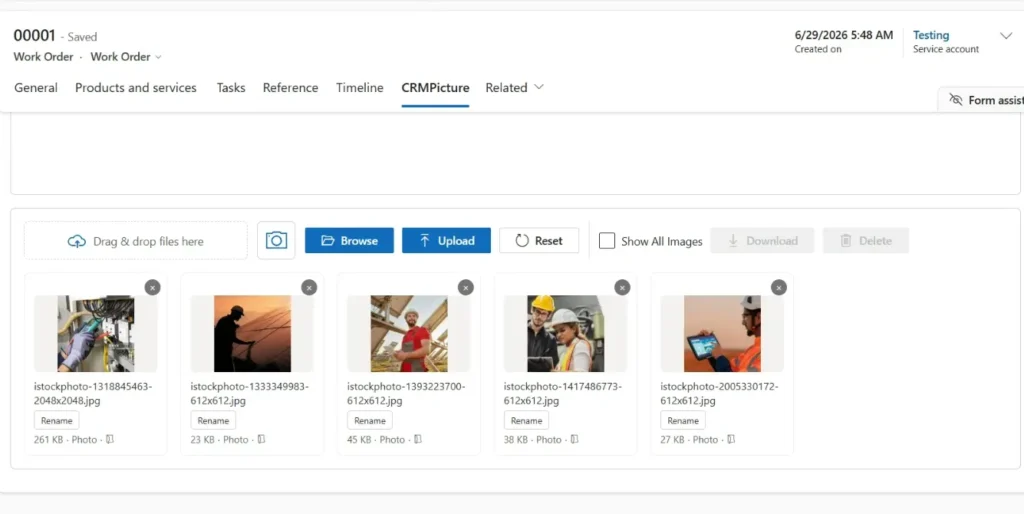
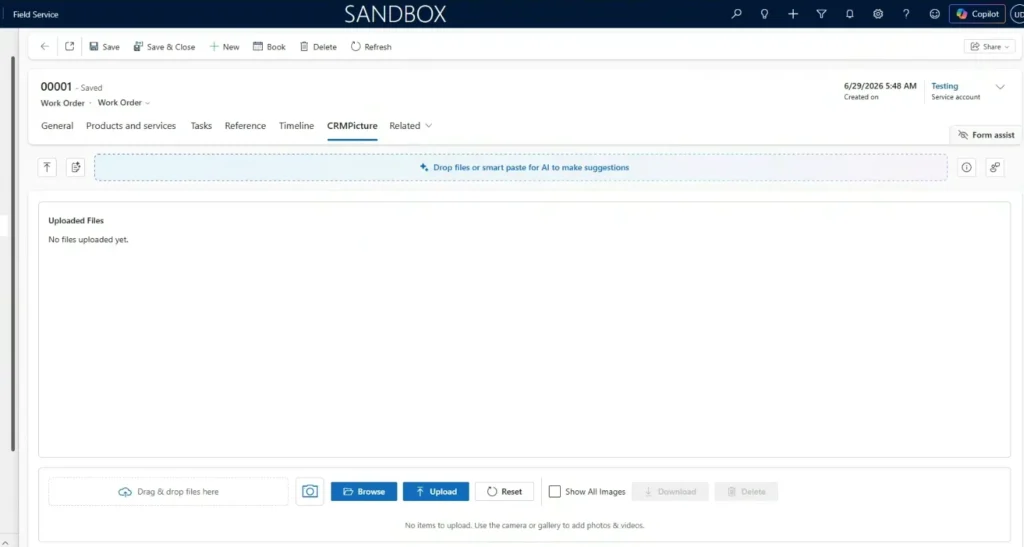
Multiple Picture Upload. Field technicians could upload multiple service photos at once instead of uploading each image separately. For a typical HVAC job producing eight to twelve photos, the upload step compressed from a multi-minute repetitive task into a single action.

Preview Before Upload. Technicians could preview selected images before uploading them, confirming the right photos were attached to the right work order. This reduced the rework loop where dispatchers had to ask for re-uploads of missed shots.
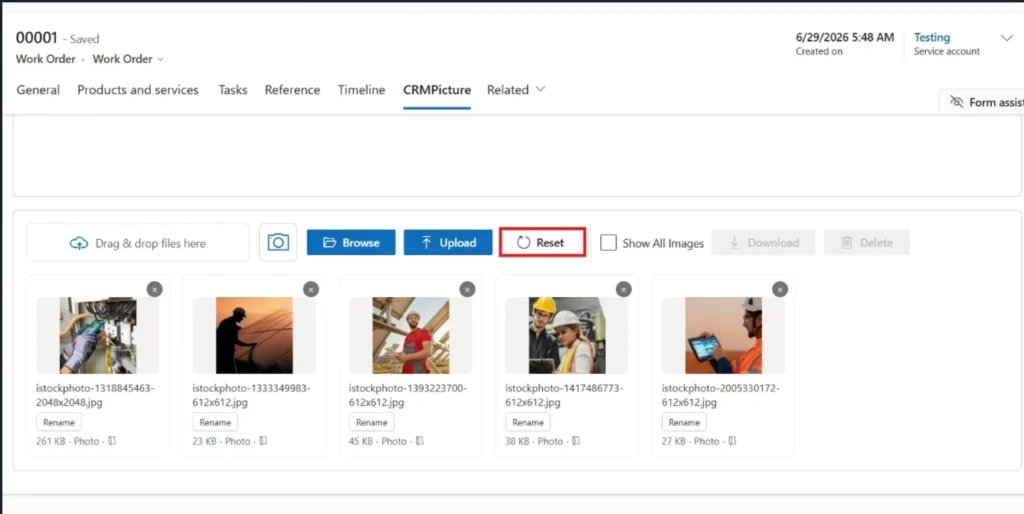
Reset Functionality. The reset option allowed users to remove selected pictures from the preview panel before upload, avoiding accidental or incorrect image uploads.
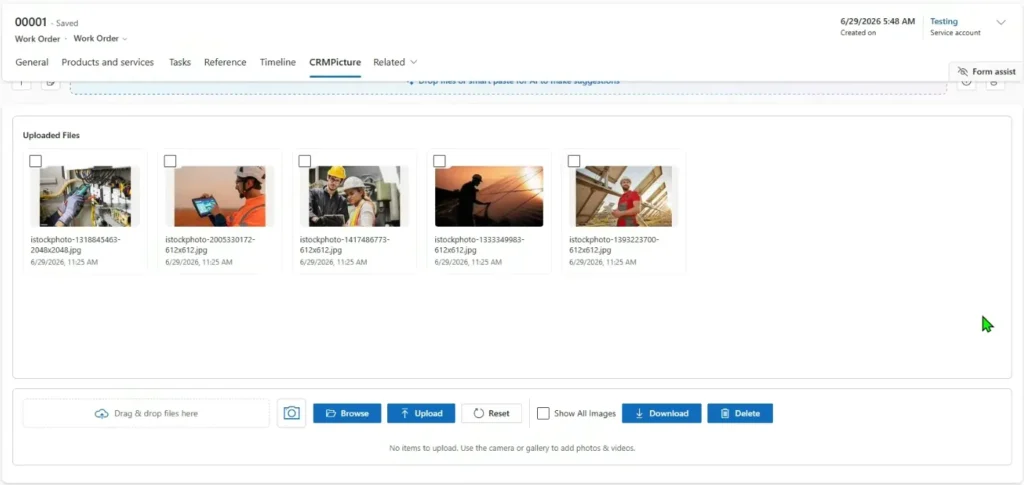
Dispatcher Verification. Dispatchers could view uploaded pictures directly from Dynamics 365 and verify the work completed by technicians — without needing separate communication, manual file-sharing, or chasing technicians for evidence after the fact.
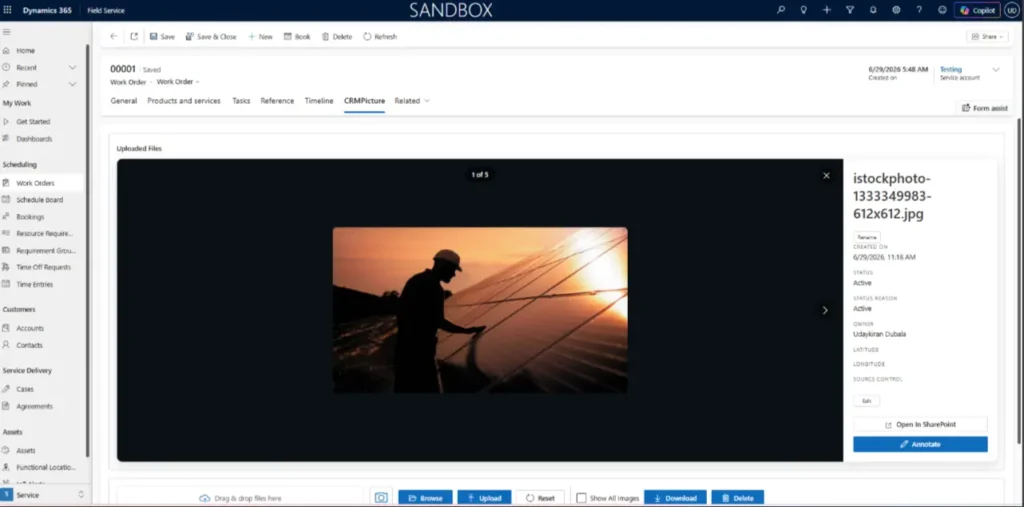
Flexible Storage Configuration. Depending on business requirements, uploaded pictures could be stored in:
- SharePoint — the recommended option for high-volume photo capture, keeping Dataverse storage costs low (see our guide on moving Dynamics 365 attachments to SharePoint for the broader storage pattern)

- Azure Blob Storage — for clients with bulk image archives or specific compliance needs
- Notes entity in Dataverse — for low-volume scenarios where everything stays inside Dataverse
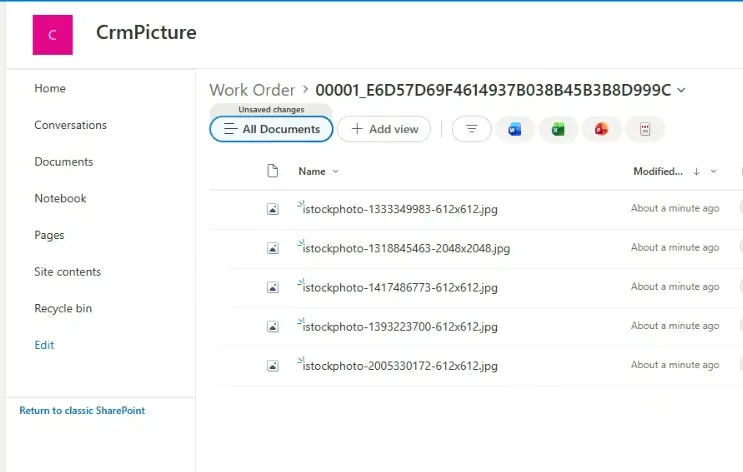
This gave the client flexibility to match the storage option to their document management and cost strategy. They chose SharePoint for the bulk of work-order photos, which kept Dataverse storage consumption flat as photo volume grew.
Business Benefits
The CRM Picture deployment removed a daily friction point that had been quietly compounding for months.
- Faster image upload from the field — multi-photo uploads instead of one-at-a-time
- Reduced manual effort for technicians — less end-of-job tapping, more time on the work itself
- Improved work order documentation — full photo evidence attached to every job, every time
- Better visibility for dispatchers — uploaded photos reach Dynamics 365 faster and more reliably
- Faster verification of completed jobs — dispatchers verify and close from the photo evidence directly
- Ability to process more work orders — the same technician team handles more jobs per week within the same operational capacity
- Cost-effective enhancement — an AppSource add-on, not a heavy custom build, with no impact on the underlying Field Service implementation
Outcome
With CRM Picture in production, the HVAC client removed a key productivity bottleneck in their Field Service process. Technicians upload multiple pictures quickly, dispatchers verify completed work more efficiently, and the company processes more work orders within the same operational capacity than before.
The solution helped the client improve field execution, reduce delays in the office, and extract more value from their existing Dynamics 365 Field Service investment — without scaling the back-office workload or adding headcount to keep up. It is also the kind of focused, narrow-scope improvement that builds confidence for the larger Field Service investments that come next (Copilot rollout, mobile app refresh, AI scheduling).
Frequently Asked Questions
What do analysts say about field technician productivity tools?
In August 2025, Gartner forecast that 40% of enterprise applications will integrate task-specific tools and AI agents by the end of 2026, up from less than 5% in 2025. CRM Picture sits squarely in that category — a task-specific tool that solves one productivity gap in Field Service well, rather than a heavy platform replacement. The broader analyst pattern is that focused, narrow-scope tools deployed inside an existing enterprise platform (rather than alongside it) deliver the cleanest productivity wins, which is exactly what this case study shows in practice.
Can CRM Picture be used outside Field Service?
Yes. CRM Picture is configurable on any Dataverse table, which means it works equally well on Customer Service cases (attaching evidence to support tickets), Sales opportunities (attaching site visit photos), custom inspection records, or any record type where multi-photo capture is part of the workflow. Field Service is one of the strongest fits because of the high photo volume per work order, but the add-on is not Field Service-only.
How does this compare to native Field Service photo capture?
The native Field Service mobile app supports photo capture against a work order, but uploads happen one image at a time. CRM Picture adds the multi-upload, preview-before-upload, reset, and flexible-storage capabilities described above. For low-photo-volume operations, the native capability is fine. For high-photo-volume operations like HVAC service, manufacturing field service, or any inspection-heavy workflow, the productivity gap is what drives the move to CRM Picture.
Conclusion
For Microsoft partners and end-user service organisations alike, this case study shows how a focused AppSource add-on can remove a daily friction point that native functionality alone does not address. CRM Picture is one of MTC’s most widely deployed AppSource add-ons precisely because the photo-capture pain is universal across service industries — and the productivity payoff is measurable from week one.
Need similar productivity tooling for your Dynamics 365 Field Service deployment? MTC builds AppSource add-ons and Field Service customisations for Microsoft partners and their clients. Explore the CRM Picture AppSource listing, see our Dynamics 365 Field Service services, or email salesteam@mtccrm.com.