Customer feedback helps businesses understand what customers think, where they face issues, and how the overall experience can be improved. Microsoft offers two popular tools for this — Microsoft Forms and Dynamics 365 Customer Voice. Both create surveys and collect responses, but they are built for very different needs.
This guide compares the two side by side and shows when to recommend each one — particularly when you are a Microsoft partner scoping a feedback workflow for a client running Dynamics 365.
What you’ll learn in this guide:
- The core difference between Microsoft Forms and Customer Voice
- Feature-by-feature comparison across surveys, CRM, NPS and CSAT
- When to use each tool — with specific business scenarios
- How to connect feedback to Dynamics 365 records and automate follow-up
- How MTC helps partners design and deploy the right feedback solution
What Is Microsoft Forms?
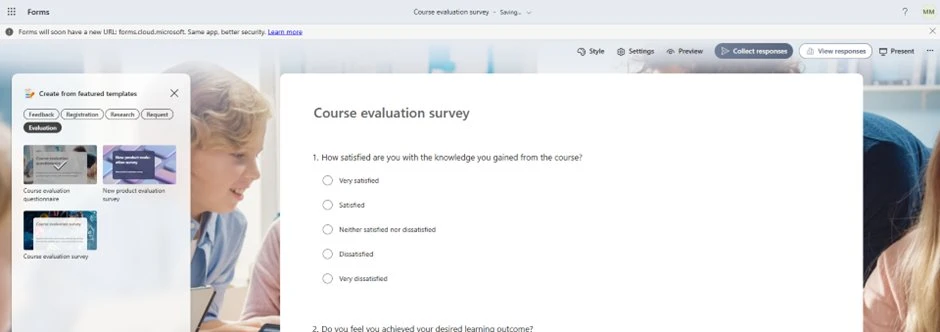
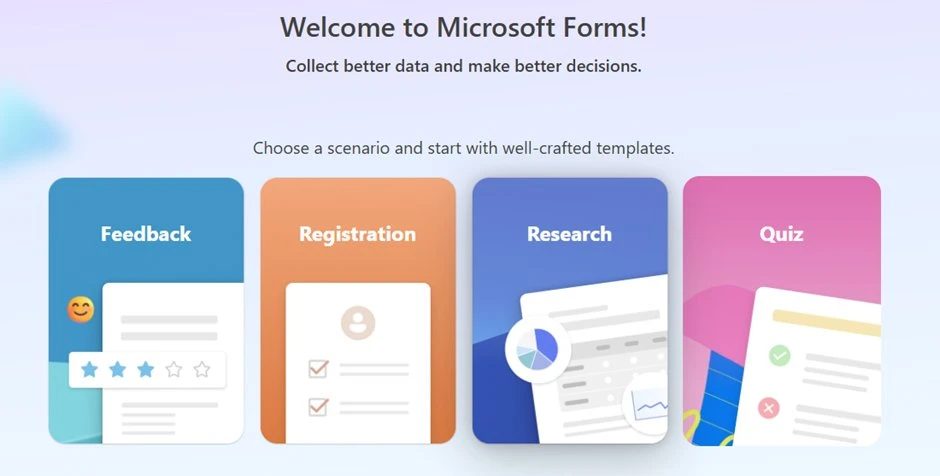
Microsoft Forms is a simple form and survey tool from Microsoft. It is designed for quick, lightweight feedback collection — surveys, quizzes, polls, registrations and basic forms.
Common Uses of Microsoft Forms
- Internal team surveys
- Employee feedback forms
- Event feedback
- Training feedback and assessments
- Quizzes
- Simple customer feedback
- Registration forms
It is easy to create, easy to share, and useful when you need quick response collection. Microsoft Forms provides built-in analytics and allows results to be exported to Excel. You can connect it to Power Automate to trigger notifications or push responses into other systems.
What Is Dynamics 365 Customer Voice?
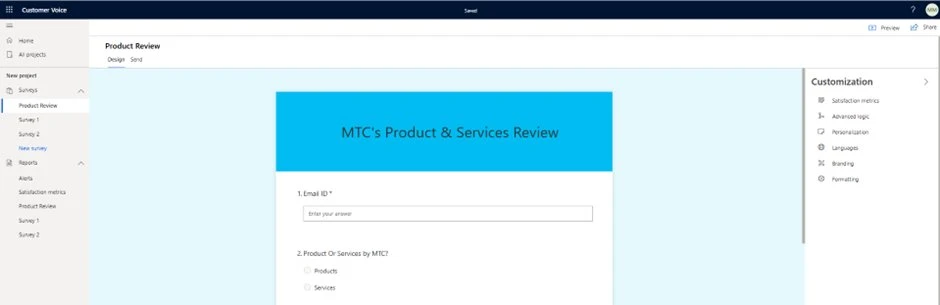
Dynamics 365 Customer Voice (also known as Microsoft Customer Voice) is a customer feedback management solution. It is built on top of Microsoft Forms but is designed for advanced business feedback scenarios — where survey responses need to be connected with customer records in Dynamics 365.
Common Uses of Dynamics 365 Customer Voice
- Customer satisfaction (CSAT) surveys
- NPS (Net Promoter Score) surveys
- Case resolution feedback
- Field service visit feedback
- Sales experience feedback
- Customer onboarding surveys
- End-to-end customer experience management
Microsoft Forms vs Dynamics 365 Customer Voice: Quick Comparison
| Comparison Area | Microsoft Forms | Dynamics 365 Customer Voice |
|---|---|---|
| Best for | Simple surveys, quizzes, polls and forms | Customer feedback management and experience tracking |
| Main users | HR, trainers, event teams, general business users | Sales, service, customer success and CRM teams |
| Setup effort | Very quick and simple | More structured, but still user-friendly |
| CRM integration | Limited by default | Strong integration with Dynamics 365 and Dataverse |
| Feedback context | Responses stay mostly at form level | Responses linked with customer records |
| NPS / CSAT tracking | Manual setup | Built-in satisfaction metrics |
| Reporting | Basic response summary + Excel export | Feedback dashboards and satisfaction trends |
| Automation | Works with Power Automate | Designed for customer journey automation |
| Best example | Event feedback form | Case closure customer satisfaction survey |
Feature Comparison
Survey and Response Features
| Feature | Microsoft Forms | Dynamics 365 Customer Voice |
|---|---|---|
| Create surveys | ✅ Yes | ✅ Yes |
| Create quizzes | ✅ Yes | ❌ Not the main use case |
| Create polls | ✅ Yes | ❌ Not the main use case |
| Real-time response summary | ✅ Yes | ✅ Yes |
| Export to Excel | ✅ Yes | ✅ Yes |
| Basic analytics | ✅ Yes | ✅ Yes |
| Advanced customer feedback tracking | ⚠️ Limited | ✅ Yes |
CRM and Customer Experience Features
| Feature | Microsoft Forms | Dynamics 365 Customer Voice |
|---|---|---|
| NPS tracking | Manual / basic | ✅ Stronger fit |
| CSAT tracking | Manual / basic | ✅ Stronger fit |
| Sentiment tracking | Limited | Available via satisfaction insights |
| Dynamics 365 record mapping | Needs customisation | ✅ Designed for it |
| Customer feedback dashboards | Basic | ✅ Advanced |
| Customer journey feedback | Limited | ✅ Strong |
| D365 Customer Service feedback | Limited | ✅ Yes |
Customer Voice supports satisfaction metrics such as CSAT, sentiment and custom scores. Microsoft explains that CSAT measures how satisfied customers are with a product or service — calculated automatically from rating-type questions.
When Should You Use Microsoft Forms?
Use Microsoft Forms when your requirement is simple, fast, and does not need deep CRM integration.
Microsoft Forms Is Best For
- Quick feedback forms
- Internal employee surveys
- Event feedback
- Training assessments
- Registration forms
- Simple customer feedback
- Quizzes and polls
Example: Collecting feedback after an internal training session, a webinar, or a company event. You can connect Microsoft Forms to Power Automate to send notifications, store responses in SharePoint or trigger simple workflows.
When Should You Use Dynamics 365 Customer Voice?
Use Dynamics 365 Customer Voice when feedback is part of your customer journey and needs to be tracked properly inside Dynamics 365.
Dynamics 365 Customer Voice Is Best For
- Customer satisfaction (CSAT) surveys
- NPS surveys
- Case resolution feedback
- Field service visit feedback
- Sales experience feedback
- Customer onboarding feedback
- Feedback linked with Dynamics 365 records
- Follow-up workflows for negative feedback
Example: After a case is resolved in Dynamics 365 Customer Service, a Customer Voice survey is sent to the customer. If the customer gives a low satisfaction score, your team can automatically create a follow-up case and respond within hours — not days.
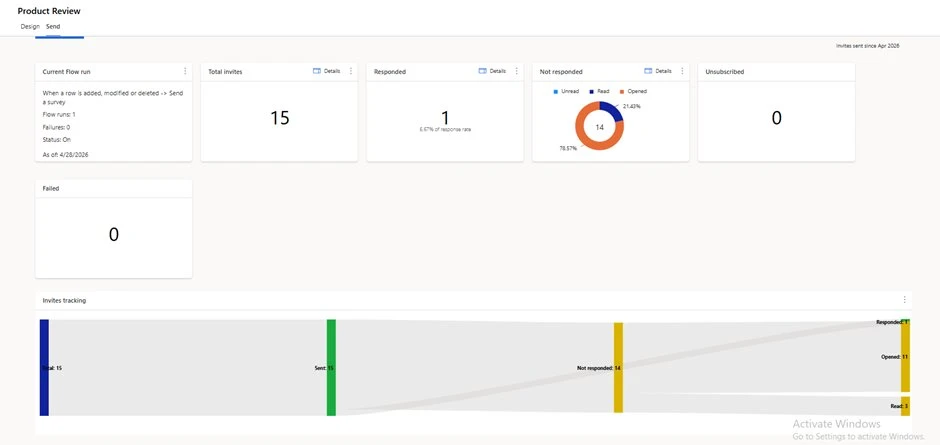
Business Scenario Comparison
| Business Scenario | Recommended Tool | Reason |
|---|---|---|
| Internal employee survey | Microsoft Forms | Simple and quick |
| Event feedback | Microsoft Forms | Easy to share and review |
| Training assessment | Microsoft Forms | Supports quizzes |
| Simple registration form | Microsoft Forms | Lightweight |
| Customer service case feedback | Customer Voice | Connects feedback to case records |
| NPS survey for customers | Customer Voice | Built-in satisfaction tracking |
| Field service visit feedback | Customer Voice | Connects feedback with work orders |
| Customer onboarding survey | Customer Voice | Customer journey tracking |
The Key Difference, in One Line
Microsoft Forms collects responses. Dynamics 365 Customer Voice manages customer feedback.
If you only need a quick form → use Microsoft Forms.
If you want feedback connected with Dynamics 365 records, satisfaction metrics, dashboards and automated follow-up → use Dynamics 365 Customer Voice.
Frequently Asked Questions
Is Dynamics 365 Customer Voice included with Dynamics 365?
Customer Voice is included with most Dynamics 365 enterprise licences (Sales, Customer Service, Field Service and Marketing) with a default monthly response allocation. Additional responses can be purchased as needed. Always check the Microsoft licensing guide for the most current details.
Can I migrate existing surveys from Microsoft Forms to Customer Voice?
There is no direct one-click migration. However, because Customer Voice is built on top of Forms, the question types and structure translate easily. The typical approach is to rebuild the survey in Customer Voice and then connect it to Dynamics 365 records — which is the part you cannot do in Forms anyway.
Can both tools be used at the same time?
Yes. Many organisations use Microsoft Forms for internal feedback (training, events, employee surveys) and Customer Voice for customer-facing surveys (CSAT, NPS, post-case). They are not mutually exclusive.
Does Customer Voice support multilingual surveys?
Yes. Customer Voice supports multilingual surveys out of the box, allowing one survey to be translated into multiple languages and served based on the recipient’s locale or language preference.
Can survey responses trigger automated workflows?
Both tools work with Power Automate. The difference is depth — Customer Voice has pre-built triggers for satisfaction scores, sentiment changes and survey completion that connect directly to Dynamics 365 entities. With Forms you build these workflows manually.
How MTC Can Help
Management Technology Consulting (MTC) helps Microsoft partners and businesses choose, configure and implement the right Microsoft feedback solution.
Our Services Include
- Microsoft Forms setup and Power Automate workflows
- Dynamics 365 Customer Voice setup and branding
- NPS and CSAT configuration
- Survey design tailored to the customer journey
- Dynamics 365 Customer Service feedback process integration
- Dataverse integration for feedback storage
- Customer satisfaction dashboards
- Follow-up workflows for negative feedback
Licensing Prerequisites
Microsoft Forms Licensing
Microsoft Forms is included with many Microsoft 365 and Office 365 plans. It is usually enough for simple surveys, quizzes, polls, registrations, and basic feedback forms. Admins can also enable or disable Microsoft Forms for users from the Microsoft 365 admin center.
| Area | Microsoft Forms |
|---|---|
| License | Included in many Microsoft 365 / Office 365 plans |
| Best For | Simple surveys, quizzes, polls, and forms |
| Extra Cost | Usually no extra cost if included in your plan |
| CRM Integration | Needs Power Automate or customization |
Dynamics 365 Customer Voice Licensing
Dynamics 365 Customer Voice is suitable when feedback needs to connect with Dynamics 365 records. If your organization does not have eligible Dynamics 365 enterprise products, you need to purchase at least one Customer Voice license. The license includes 2,000 responses per month, and additional responses can be purchased if needed.
| Area | Dynamics 365 Customer Voice |
|---|---|
| License | Eligible Dynamics 365 enterprise license or separate Customer Voice license |
| Best For | Customer feedback, NPS, CSAT, and CRM-based surveys |
| Response Limit | 2,000 responses per month included |
| Extra Capacity | Additional responses can be purchased |
| CRM Integration | Strong integration with Dynamics 365 and Dataverse |
Conclusion
Both Microsoft Forms and Dynamics 365 Customer Voice are useful, but they serve different purposes.
- Microsoft Forms — quick surveys, quizzes, polls, registrations and simple feedback.
- Dynamics 365 Customer Voice — customer feedback management, NPS and CSAT tracking, survey automation, reporting and connecting feedback to Dynamics 365 records.
For Microsoft partners scoping a feedback workflow for a client, the choice usually comes down to one question: is the feedback supposed to live in Dynamics 365 or not? If yes → Customer Voice. If no → Forms.
If your firm is scoping a Customer Voice implementation and needs delivery capacity, talk to MTC’s D365 team →